How to Get Around ESPN Blackout in 2026 and Never Miss a Game


Few things frustrate sports fans more than finally sitting down to watch ESPN and getting hit with an annoying blackout. Whether you’re trying to stream an MLB matchup, a national broadcast, or local games from teams like the Chicago Cubs, Kansas City Royals, or Chicago White Sox, blackouts happen often and without much warning.
Some fans online claim to have found a solution – according to fan chatter online, changing your IP address to one from a different state may allow you to watch whatever game you want. In this blog post, we’ll tell you why these blackouts happen and what you can do about them!
Why Does ESPN Blackout Games?
To understand how to bypass ESPN blackouts, you first need to understand why they happen. Here’s what ESPN has to say about this:
“Blackouts apply to telecasts that have been sold regionally or locally per league, conference, and local rightsholder agreements. Regional and local rights holders are usually broadcast stations or regional sports networks. Blackouts are implemented to protect the primary rights holder, as defined by the professional and college sports leagues or teams in a given market.
If you are receiving blackout messaging on ESPN, check your local listings to find the television network carrying the event. If you see a message that states, "This content is subject to blackout", this is because the event that you requested is not available on ESPN in your location. Your location is determined by your IP Address. If you are connecting with a mobile device and believe you are incorrectly receiving blackout messaging, try connecting via WiFi.”
Broadcasting Rights Agreements
ESPN doesn’t own the rights to broadcast every sports game nationwide. Instead, regional broadcasting rights are often held by local broadcasters or regional sports networks, also known as RSNs. When these local networks have exclusive rights, blackouts apply on ESPN and ESPN+, so you can’t watch the games.
Local vs. National Broadcasts
If your local sports team has a regional broadcast agreement, ESPN must block access to that team’s games in your area, even if the game is airing on ESPN nationally. For example, a Chicago Cubs game may be shown nationally on ESPN, but that same game may be blacked out in the Chicago area.
Streaming Platforms Use Your IP Address
Your IP address reveals your location, and ESPN automatically uses this information to enforce blackout restrictions. Even if you pay for an ESPN streaming subscription, your access is still limited by your local broadcasting agreements.
ESPN’s Own Blackout Policies
Major sports leagues, including but not limited to the NFL, the NBA, the NHL, and MLB, each have their own blackout rules. As such, if ESPN wants to broadcast its games, it’s required to follow whichever restrictions apply to the specific matchup you’re trying to watch.
Why Do I Need a VPN With ESPN?
Using a VPN is a widely used method for dodging ESPN blackouts, as it allows you to change your virtual location with just a few clicks. Blackout restrictions are tied directly to your IP address, which tells ESPN where you’re watching from.
When you try to stream a game from a region where local broadcasters own exclusive rights, ESPN blocks your access, even if you pay for an ESPN subscription. Using a VPN may solve this by rerouting your internet traffic through a different server and giving you a new IP address in a location where restrictions don’t apply.
If you’re in Chicago and a Cubs or White Sox game is blocked, you may connect to a VPN server in Denver or Phoenix and watch as if you were physically there. The same applies to Kansas City Royals games blacked out in Missouri; selecting a server in Seattle or another distant city bypasses the restriction instantly.
There’s also the added benefit of improved streaming quality. Many internet providers throttle streaming traffic during big events, especially live sports. A VPN encrypts your traffic, preventing ISP throttling and providing a more stable connection with fewer buffering issues. For fans watching fast-paced, high-motion sports, this makes a noticeable difference.
Although many people do use VPNs to try to skip over blackouts, this goes against ESPN’s rules. While you’re free to use a VPN to improve streaming quality and be safer online, trying to prevent blackouts may result in ESPN restricting your account. Remember to follow the rules set by all platforms involved.
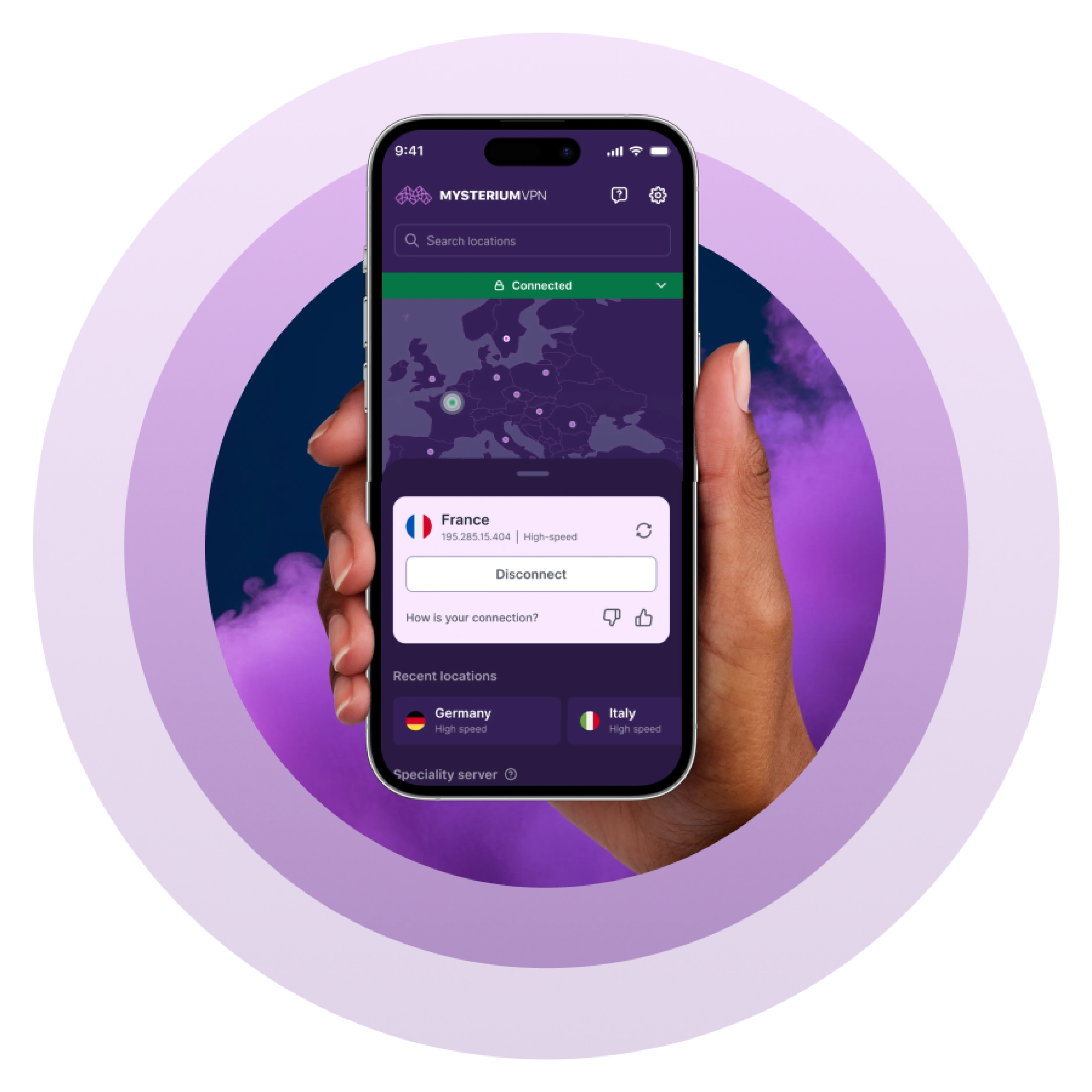
If you’re looking for a way to improve your experience, try Mysterium VPN and enjoy a limited-time discount of 82%. We’d love to have you!
Is It Legal to Get Around ESPN Blackouts With a VPN?
Using a VPN itself is legal in most countries worldwide, including the United States, Canada, the UK, and throughout Europe. Millions of people use VPNs daily for privacy, security, and accessing geographically restricted content.
However, while VPN use is legal, avoiding ESPN’s blackout restrictions is a gray area. It doesn’t violate any laws per se, but it goes against ESPN’s terms of service (which you must agree to prior to using the service), which clearly states that content availability depends on your region and local broadcasting rights.
In practice, the most common consequence of using a VPN with ESPN is simply that the platform may block the IP address you got from the VPN, forcing you to switch to a different server. Sports fans across the world do reportedly use VPNs to enhance their streaming experience, and it’s unlikely that you’d face any penalties beyond access issues.
We don’t condone abusing the rules of any platform, so as long as you’re using a VPN for a better experience and you’re not redistributing content or engaging in piracy, watching ESP through a VPN is a widely accepted personal choice.
How to Get Around ESPN Blackout With a VPN?
Getting around ESPN blackouts with a VPN is a quick and easy process that takes just a few minutes. The process is almost identical across devices – install the app, choose a server outside the blackout zone, and restart your ESPN app so it reads your new IP address.
On Windows or Mac
- Create your VPN account and choose a subscription plan that best fits your needs.
- Download a VPN app, and log in to your new account.
- In the search bar, choose a server in a region where the game isn’t blacked out.
- For example, if you’re in Chicago and a Cubs game is blocked, choose Denver, Salt Lake City, or Phoenix.
- Wait for the connection confirmation.
- Close your browser or ESPN app completely.
- Reopen ESPN and start streaming.
On Android or iOS (Phones & Tablets)
- Create your VPN account and choose a subscription plan that best fits your needs.
- Download a VPN app from the Google Play Store or Apple App Store, and log in to your new account.
- In the search bar, choose a server in a region where the game isn’t blacked out.
- For example, if you’re in Chicago and a Cubs game is blocked, choose Denver, Salt Lake City, or Phoenix.
- If your phone uses GPS location, turn off location services temporarily so ESPN doesn’t match your GPS to your IP.
- Close the ESPN app from your app switcher.
- Reopen ESPN and start streaming.
On Smart TVs (Android TV, Google TV, Fire TV)
- Create your VPN account and choose a subscription plan that best fits your needs.
- Search for a VPN app in your TV’s app store.
- Install it and sign in.
- In the search bar, choose a server in a region where the game isn’t blacked out.
- For example, if you’re in Chicago and a Cubs game is blocked, choose Denver, Salt Lake City, or Phoenix.
- Launch ESPN and start streaming.
Mysterium VPN is built for the people, by the people. Watch your favorite games today with Mysterium VPN for 82% off!
Best VPN for Sports Streaming
When it comes to live sports, not all VPNs can reliably bypass blackouts and maintain high-quality streams. Mysterium VPN stands out thanks to its innovative design and global network, making it the ideal choice for sports fans.
- Global network of residential IPs: Mysterium routes your traffic through thousands of real residential IP addresses, making it much harder for ESPN and other platforms to detect or block your connection.
- Wide geographic coverage: With VPN servers in hundreds of locations worldwide, you can easily switch to a region where your local or national games are not blacked out.
- Works across all devices: The Mysterium VPN app and our browser extension work on Windows, macOS, iOS, Android, most browsers, and smart TVs and other devices without native VPN support.
- Unlimited devices and bandwidth: You can stream multiple games at once on unlimited devices without worrying about speed or bandwidth restrictions.
- Difficult for platforms to block: The constantly rotating residential IPs make it nearly impossible for ESPN and other streaming platforms to blacklist connections, keeping blackouts at bay.
- Private and secure: The secure architecture spreads traffic across a wide network, improving anonymity and avoiding single points of failure.
Thanks to these security and usability features, Mysterium VPN is the ideal solution for sports streaming and other activities, enabling you to enjoy your games anywhere, on any device.
Key Takeaways
- ESPN (and other sports streaming apps) enforce streaming blackouts because of various broadcast rights agreements and regional sports networks.
- Your IP address reveals your geographical location and triggers blackout restrictions.
- VPNs allow you to connect to a new IP in a region that's not facing restrictions.
- Using a VPN to improve your streaming experience is legal, but ESPN may notice your VPN use and block that specific IP address, forcing you to choose a different server.
- Free VPN providers don’t offer sufficient security infrastructure, and you won’t find enough variety when it comes to VPN server locations.


Protect Yourself Online. Try Mysterium VPN Risk-Free!
Get Mysterium VPN

Frequently Asked Questions
Gintarė is a cybersecurity writer at Mysterium VPN, where she explores online privacy, VPN technology, and the latest digital threats. With hands-on experience researching and writing about data protection and digital freedom, Gintarė makes complex security topics accessible and actionable.
Related Articles
.png)
.png)